All articles
How to remind other users
Send a reminder to other people on your account, so everyone caring for your pet gets it.
Before you start
The people you want to remind need to be on your account. See How to invite someone to your account.
Remind someone
- Tap your pet on the main screen.
- Open the Reminders tab.
- Tap an activity, then tap the Reminder button. To change an existing reminder instead, tap it, then tap the pencil icon.
- Set the reminder as usual.
- Tap Remind other users? near the bottom.
- Tick each person you want to remind, then tap Okay.
- Tap Save.
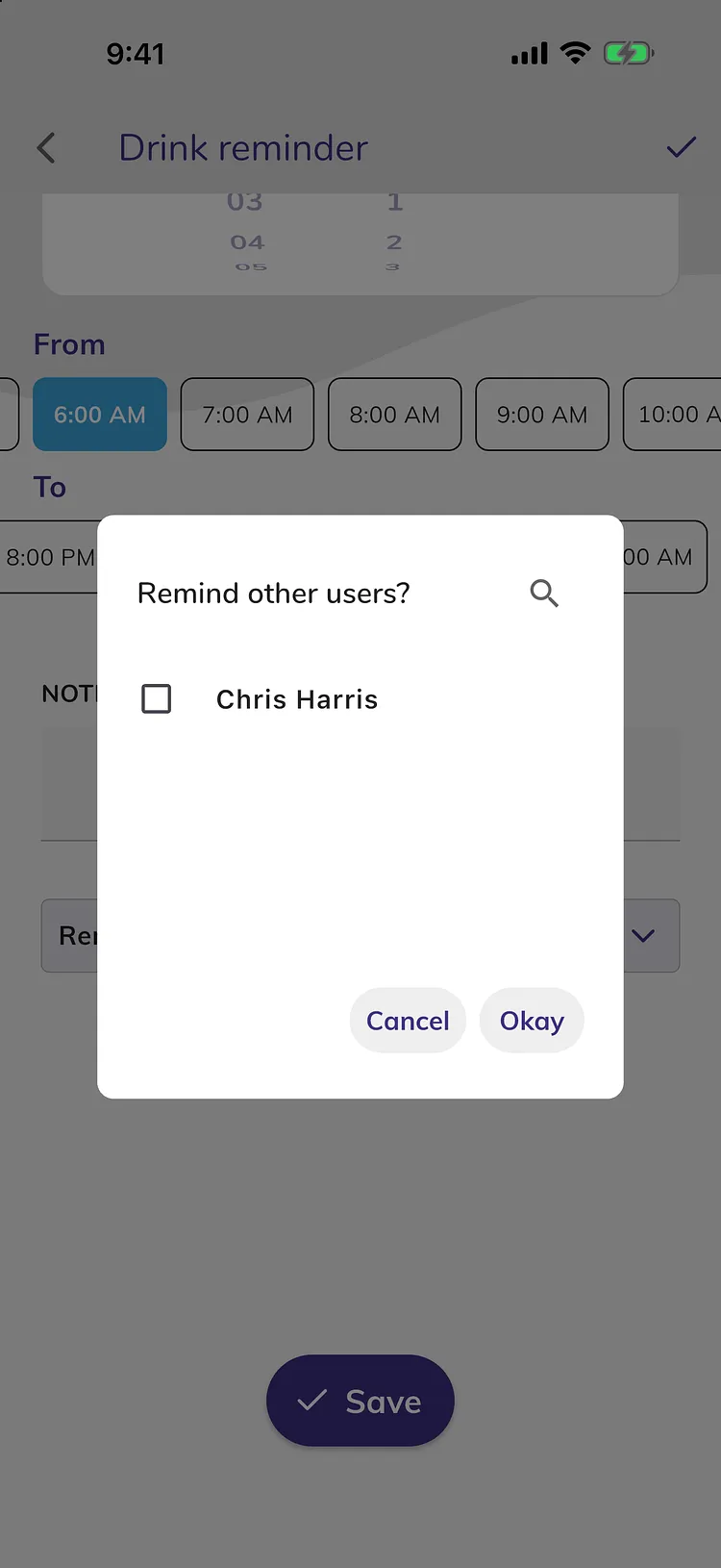
The names of the people you're reminding appear on the reminder. See How to set reminders and smart reminders for the reminder options.
What the other person sees
- The reminder shows on their Reminders tab with your name, and they get its notification on their phone.
- They can't turn it off or delete it. Only the person who created a reminder can do that.
Premium
Reminders are part of Premium. Everyone on a Premium account can use them. See What's free and what's in Premium.
Troubleshooting
- I don't see Remind other users? It only appears when someone else is on your account. Invite them first.
- The other person doesn't get the reminder. Ask them to open Doggy Time while signed in, so the reminder reaches their phone. Also check that notifications for Doggy Time are allowed in their phone's settings.