首页
我们的应用
Doggy Time
Potty Whiz
Chore Boss
Kid Hop
Fever Whiz
博客
工具
评价
联系我们
中文
English
Español
Français
Português
हिंदी
Nederlands
Deutsch
한국어
日本語
中文
Русский
Italiano
全部文章
Potty Whiz
我无法使用 Apple 登录(Potty Whiz)
如果您在使用 Apple 登录时遇到问题:
在您的 iPhone 上,进入
设置
,然后
轻点您的姓名
。
向下滚动并轻点
使用 Apple 登录
。
在应用程序和网站列表中,找到并选择
Potty Whiz
。
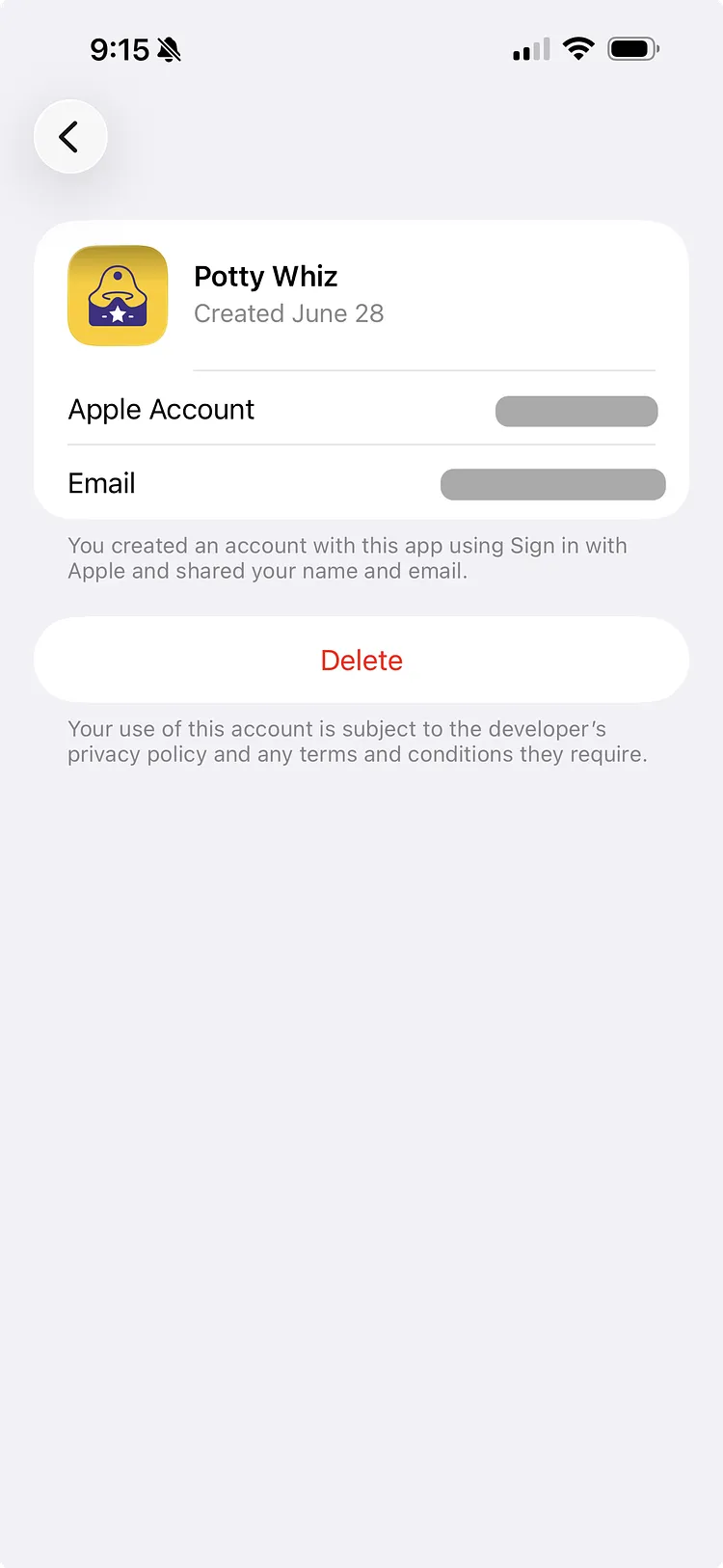
轻点
删除
按钮,然后选择
停止使用
,以断开 Potty Whiz 与使用 Apple 登录的关联。此操作不会删除您在 Potty Whiz 中的数据。
等待几分钟后,再尝试使用 Apple 重新登录。
仍需要帮助?
我们的团队很乐意为您提供帮助。
联系我们