There is a unique kind of chaos that descends on a household when a child gets sick. In the middle of the night, trying to recall which medication was given at what time—or frantically searching for the pediatrician’s after-hours number—can add unnecessary stress to an already worrying situation. We often assume we will remember the details, but in the fog of sleep deprivation and concern, our memories are rarely as reliable as we hope they are.
Creating a centralized system for your child’s health information is one of the most loving acts of preparation you can do as a parent. It isn't about expecting the worst; it is about creating a safety net so that when you are tired and anxious, the information you need is right at your fingertips. A little organization today can buy you a great deal of peace of mind tomorrow.
📂 Why Organization Matters
When a fever spikes or an unexpected rash appears, your primary focus should be on comforting your child, not hunting for paperwork. Having a dedicated system allows you to communicate clearly and confidently with medical professionals, ensuring nothing gets lost in translation.
- Gather all scattered medical documents into one physical or digital location immediately.
- Reduce the mental load of trying to remember past dates and dosages during a crisis.
- Provide babysitters or grandparents with instant access to essential health history.
- Ensure that if you have to rush to the emergency room, you grab everything you need in one go.
📝 What to Include in Your Binder
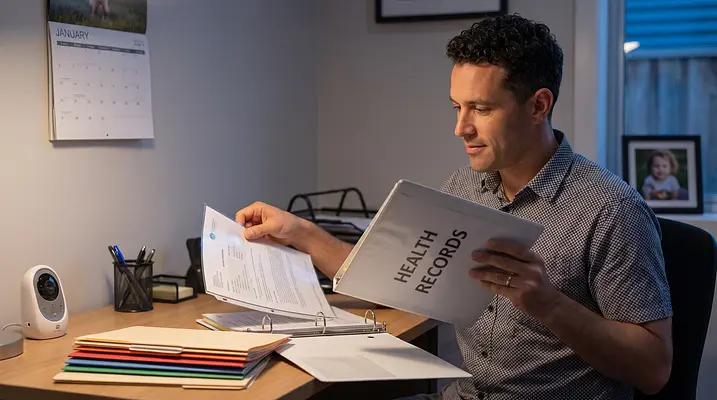
You don't need to create a complex filing system to be effective; a simple three-ring binder or a dedicated folder works wonders. The goal is to have a comprehensive snapshot of your child’s health history that can travel with you to appointments.
- Print a one-page summary listing allergies, blood type, and major medical history.
- Keep a chronological log of growth milestones and immunization records.
- Store copies of prescription labels or pharmacy printouts for easy reference.
- Include a section for any specialist reports, such as dental or vision screenings.
- Add a plastic sleeve to hold insurance cards and contact numbers for your pediatrician.
⏱️ Tracking Symptoms and Medications
One of the most helpful tools you can offer your pediatrician is a clear, accurate timeline of events. When you are in the exam room, being able to say exactly when a fever started or how a child reacted to a specific intervention helps the doctor form a better picture of what is going on.
- Write down the exact time and result of every temperature check you perform.
- Log the time, type, and amount of any medication administered.
- Note fluid intake and output, including how often they are drinking or using the restroom.
- Record changes in behavior, such as sleep patterns or appetite shifts.
- Bring your written log to every appointment to help your doctor see the trend.
🤝 Coordinating with Caregivers
If you share parenting duties or rely on grandparents, nannies, or friends for childcare, communication is key. The middle of a hand-off is not the time to try to verbally explain a complex dosing schedule or a recent symptom history.
- Show your partner or caregiver exactly where the health binder is stored.
- Use a shared digital tool so both parents can see updates in real time.
- Leave clear, written instructions rather than relying on memory or text messages.
- Review the log together at shift changes to ensure nothing is missed.
🧘 Staying Calm and Present
The physical act of organizing can actually help lower your stress levels by giving you a sense of control. When you have a plan and a place for everything, you can shift your energy away from administrative panic and toward holding your little one’s hand.
- Take a deep breath before checking temperatures or logging symptoms.
- Use your tracking system as a tool to reassure yourself that you are doing enough.
- Focus on providing comfort and cuddles rather than worrying about the numbers.
- Trust your instincts and reach out to your pediatrician whenever you feel uncertain.
🚀 Quick Action Plan
You don't need to do this all at once; start small and build your system over a quiet afternoon. Here is how you can begin today:
- Grab a sturdy folder, binder, or create a dedicated digital folder on your phone.
- Print or write down your pediatrician’s contact info and after-hours protocol.
- Locate your child’s most recent immunization record and place it inside.
- Write down any known allergies or sensitivities on a prominent front page.
- Download a tracking app to centralize your logs and reminders in one place.
Disclaimer: This blog post is for educational and informational purposes only and is not intended as medical advice, diagnosis, or treatment. Always consult your pediatrician or a qualified healthcare professional regarding any medical questions, symptoms, or before making decisions about your child's health or medication. If you believe your child is experiencing a medical emergency, please call emergency services immediately.
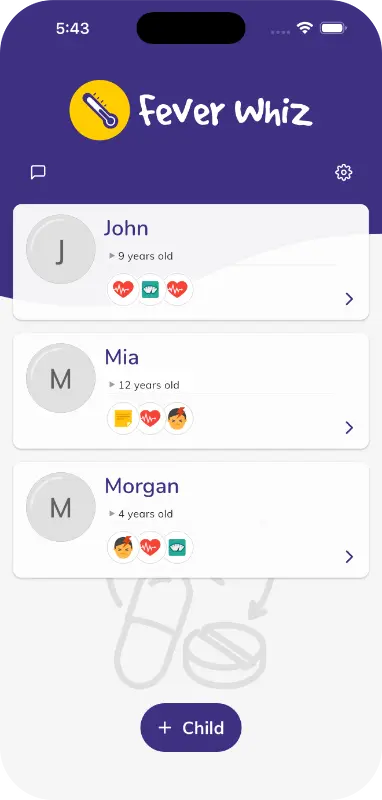
For an easy way to keep everything organized, consider using the Fever Whiz app. It helps parents and caregivers log medications, temperatures, and symptoms, set custom reminders, visualize trends with charts, and store important medical documents. You can even share a real-time care timeline with everyone caring for your child, ensuring your whole team stays on the same page.